Character Animation
DESCRIPTION OF PROJECT
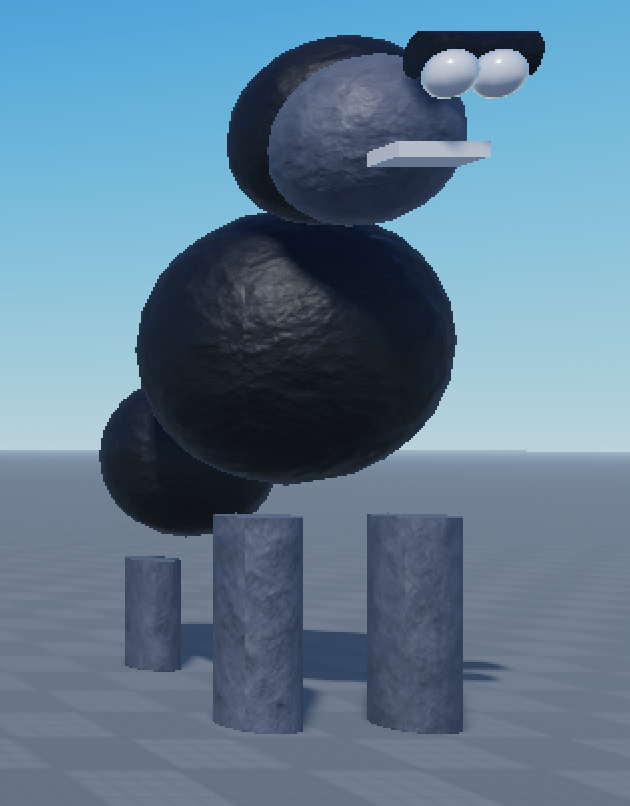
Exploring animation has been an exciting adventure for me. I started with simple shapes to form my version of a digital monkey and a gorilla. Once I saw the characters take form, I brought them to life by turning the limbs into human-like "joints" in order to maneuver the animation to show movement. These monkey characters will be used for character morphing in my Roblox video game - Treehouse Utopia (stay tuned...)
Features
Character Design
on Roblox Studio
Using simple shape's, I designed 2 different characters (a monkey an a gorilla) using circles, cylinders, squares, texture patterns and various colors to recreate realistic features.
Animation
By using Rig-edit Plug-ins, the character models were defined by joints and welded the parts together. With the Animation Editor, I created movement on the time intervals to allow the characters to have a realistic walk in the game.
Roblox Character Morph
These two characters will be imported into my Roblox game, Treehouse Utopia in future release cycles for players to morph into monkeys as they explore the game, further immersed in their digital experience.
Project Details
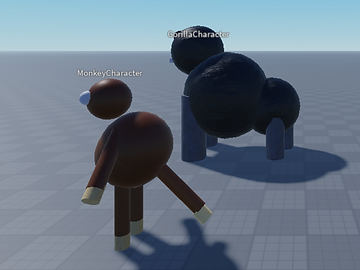

Starting with the standard shapes that are available in Roblox Studio, I began to rotate, scale and move the parts in different directions to form ideal images of a monkey and a gorilla.
I grouped all of the parts together to make Models of the characters, shown belolw
In order to add realistic human-like movement to the shapes. I used an add-on Pluggin called RigEdit Lite to add joints for the arms and legs to connect to the center belly, and welds to join the parts that didn't necessarily need to move. (i.e. Hand to Arm). Everything is connected to the Humanoid Root Part, which is a duplicate transparent part of the monkelys belly, in the center.
My next steps were to leverage the Animation Editor to train the character on were to step and how to move during a duration of .30 seconds.
This screenshot list the parts on the left side panel, and the gray diamonds shown on the timeline is the placement for the body part to move to when it crosses this spot in the timeline. The blue line marks the movement in time as the character's animation is moving.
Future Releases:
Character Morphing in Treehouse Utopia
Jumping Animation
Swinging Animation
Monkey Sound Effects
Reference:
Custom Characters - How to create, rig and animate
May 2022
Thank you for checking out my animated characters, click here to view more of my projects